
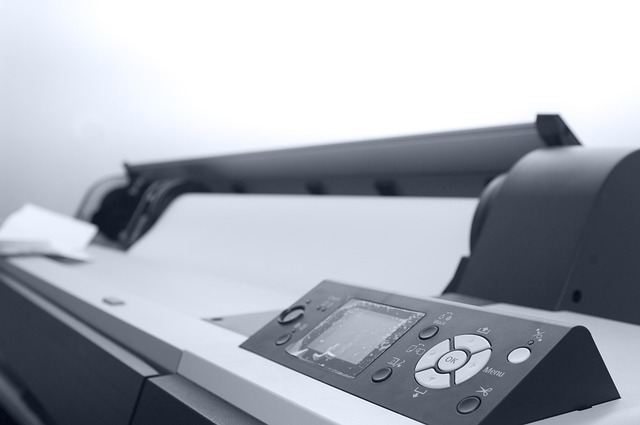
Designers often switch between digital and print projects, but file formats can feel overwhelming. Choosing the wrong one may result in blurry images, large file sizes, or unexpected printing issues. Understanding how formats differ is a crucial step toward professional results.
Why File Formats Matter
Every file format carries information differently. Some keep data lightweight and ideal for the web, while others preserve quality for high-resolution printing. Selecting the right format ensures designs look sharp, load properly, and remain consistent across platforms. File formats also determine whether collaborators and clients can open your work. Sending a printer the wrong type could delay an entire project, while using the wrong online format may cause long loading times or pixelation.
Lossy vs. Lossless Compression
File types use different methods to save space. Lossy compression, as in JPEG, discards some image data, leading to smaller files but reduced quality. Lossless compression, as in PNG, keeps all data intact, retaining detail but increasing size. Knowing the difference helps balance quality and efficiency. A designer might use JPEG for quick-loading product photos online, but switch to TIFF or PNG when absolute quality matters.
Common Formats for Digital Use
Online graphics require formats optimized for speed and compatibility. They must load quickly without sacrificing too much clarity, especially in an age when audiences expect instant visuals.
JPEG
JPEGs are the go-to for photographs on the web. They compress images efficiently but can lose detail if saved repeatedly. Best for photos, not text or sharp graphics. Their widespread compatibility makes them useful across devices, helping designs look consistent in browsers, apps, and emails.
PNG
PNG files preserve transparency, making them useful for logos and icons. Their lossless nature maintains crisp details, though at the cost of larger file sizes. Designers often turn to PNGs when graphics need to appear clean on both light and dark backgrounds.
GIF
GIFs support simple animations and limited color palettes. While not suitable for detailed imagery, they remain popular for web memes and lightweight animations. They’re best for small movement-based elements, such as banners or social media posts.
Formats for Print Projects
Print design demands high resolution and exact color reproduction. Choosing the wrong format can lead to fuzzy edges or inaccurate tones once ink hits paper.
TIFF
TIFF files are preferred for professional printing. They preserve every pixel, support layers, and avoid compression artifacts, providing clarity in large prints. Because they can handle high color depth, TIFFs are ideal for photography and archival purposes.
PDFs are versatile for sharing designs with printers. They embed fonts, images, and vector graphics in one file, guaranteeing that the layout appears as intended. Many printers request final artwork in PDF form because it locks in design integrity across different systems.
EPS
Encapsulated PostScript (EPS) files store vector artwork. They scale infinitely without quality loss, making them ideal for logos or illustrations destined for large banners. Even as newer formats emerge, EPS remains a trusted option in professional print workflows.
Vector vs. Raster Files
A crucial distinction in design is whether a file is vector-based or raster-based. Raster files, like JPEG or PNG, rely on pixels, while vector files, like EPS or SVG, use mathematical paths.
When to Use Each
- Raster: photography, detailed images, texture-heavy work
- Vector: logos, icons, scalable graphics
By combining both strategically, designers can create projects that transition smoothly from screen to print. For instance, a poster may include a raster image background but feature a vector logo to maintain sharpness at any size.
Quick Reference: Choosing the Right Format
Here’s a simple guide for when to use each type of file:
- JPEG: photographs for websites and social media
- PNG: logos, icons, and graphics with transparency
- GIF: simple animations or low-color web graphics
- TIFF: high-quality prints and image archiving
- PDF: final layouts for sharing or professional printing
- EPS: vector graphics for scaling and print production
Bringing It All Together
File formats may seem technical, but they form the backbone of clear communication in design. By understanding compression, resolution, and scalability, beginners can avoid common pitfalls. From posting an image online to preparing a brochure for the printer, knowing which file type to use transforms a project from acceptable to professional.
Mastering formats also builds confidence when working with clients and collaborators. Clear knowledge of when to use JPEG, PNG, TIFF, or PDF helps guarantee smoother workflows and fewer costly mistakes. For any designer looking to bridge the gap between pixels and print, understanding file formats is not optional, it’s essential.